Must-Have Map Apps for Travelers in Korea: Naver Map & KakaoMap Guide
Why Google Maps Doesn’t Work Well in Korea
One surprise for many first-time visitors to Korea is that Google Maps doesn’t fully function here. While it works for location search and viewing places, it doesn’t offer walking or driving navigation.
Why Google Maps Is Limited
This is due to national security regulations. The Korean government restricts exporting map data overseas. Since Google relies on its global servers for real-time routing, it cannot offer full navigation.
In contrast, local apps like Naver Map and KakaoMap manage data on domestic servers, enabling complete navigation features.
Naver Map vs KakaoMap
Both apps provide high-quality map services, but each has strengths. Depending on your travel needs, you might prefer one over the other.
Naver Map Strengths
- Rich restaurant info and user reviews
- Multilingual support: English, Chinese, Japanese
- Real-time public transportation info
- Simple and clean interface
KakaoMap Strengths
- Highly detailed maps including alleyways and building interiors
- Fast route search with real-time traffic updates
- Themed maps (bike paths, walking trails, CCTV map)
- Easy location sharing with KakaoTalk integration
Which to choose?
Use Naver Map if you want food reviews and foreign language support.
Choose KakaoMap for precision navigation and fast, shareable directions.
This post focuses on how to use Naver Map.
Getting Started with Naver Map
1. Download the App
- iOS: Search “Naver Map” in the App Store
- Android: Search “Naver Map” or “네이버지도” in Google Play
2. Change the Language
The app follows your phone’s system language by default. You can also change it manually.
Steps:
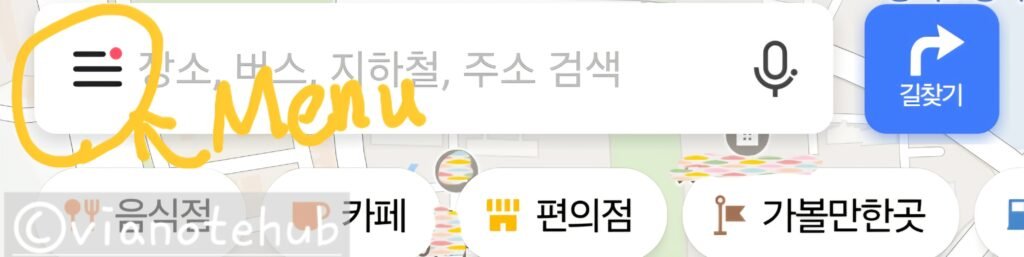
- Tap the menu icon (≡) on the top left
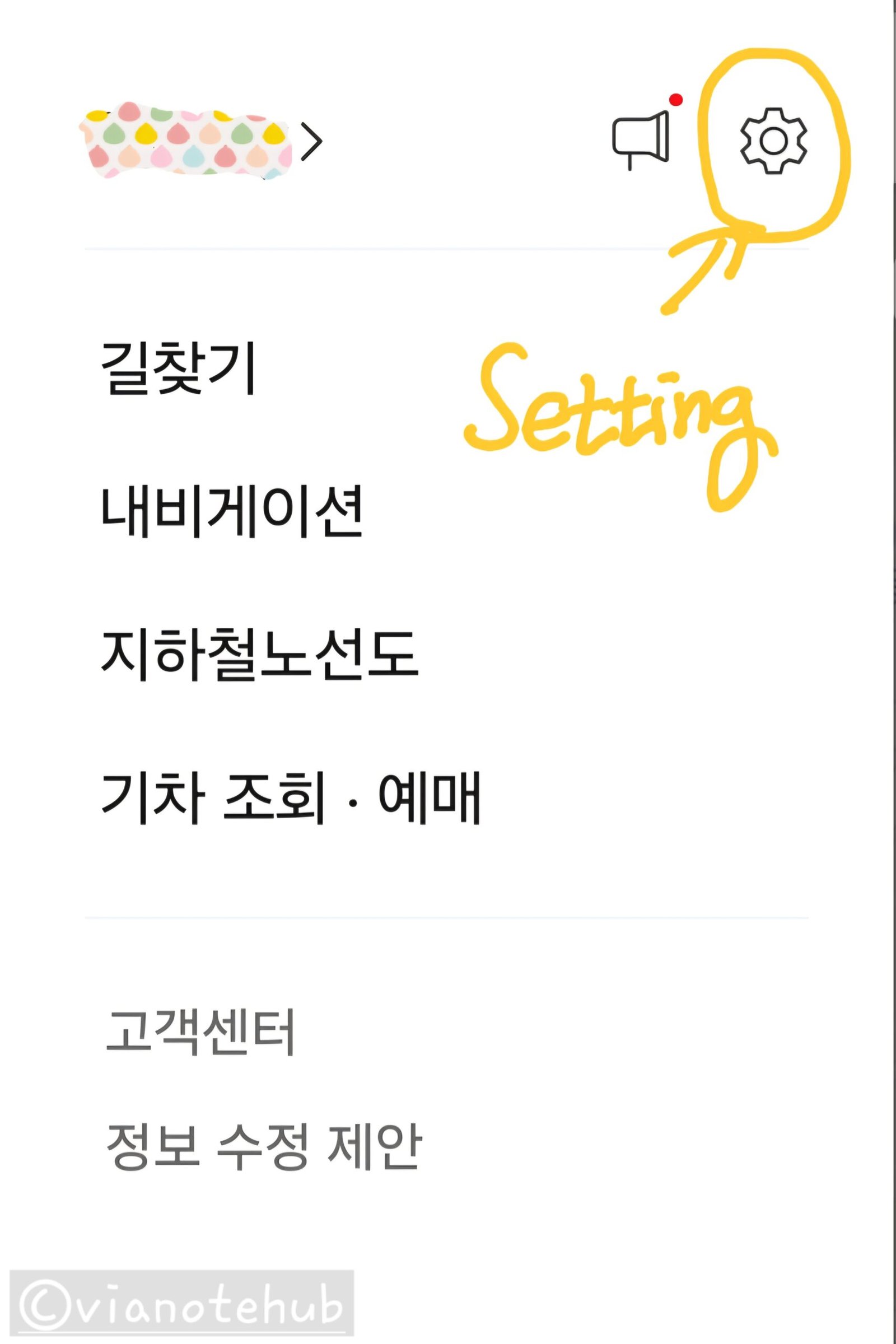
- Tap the gear icon to open settings
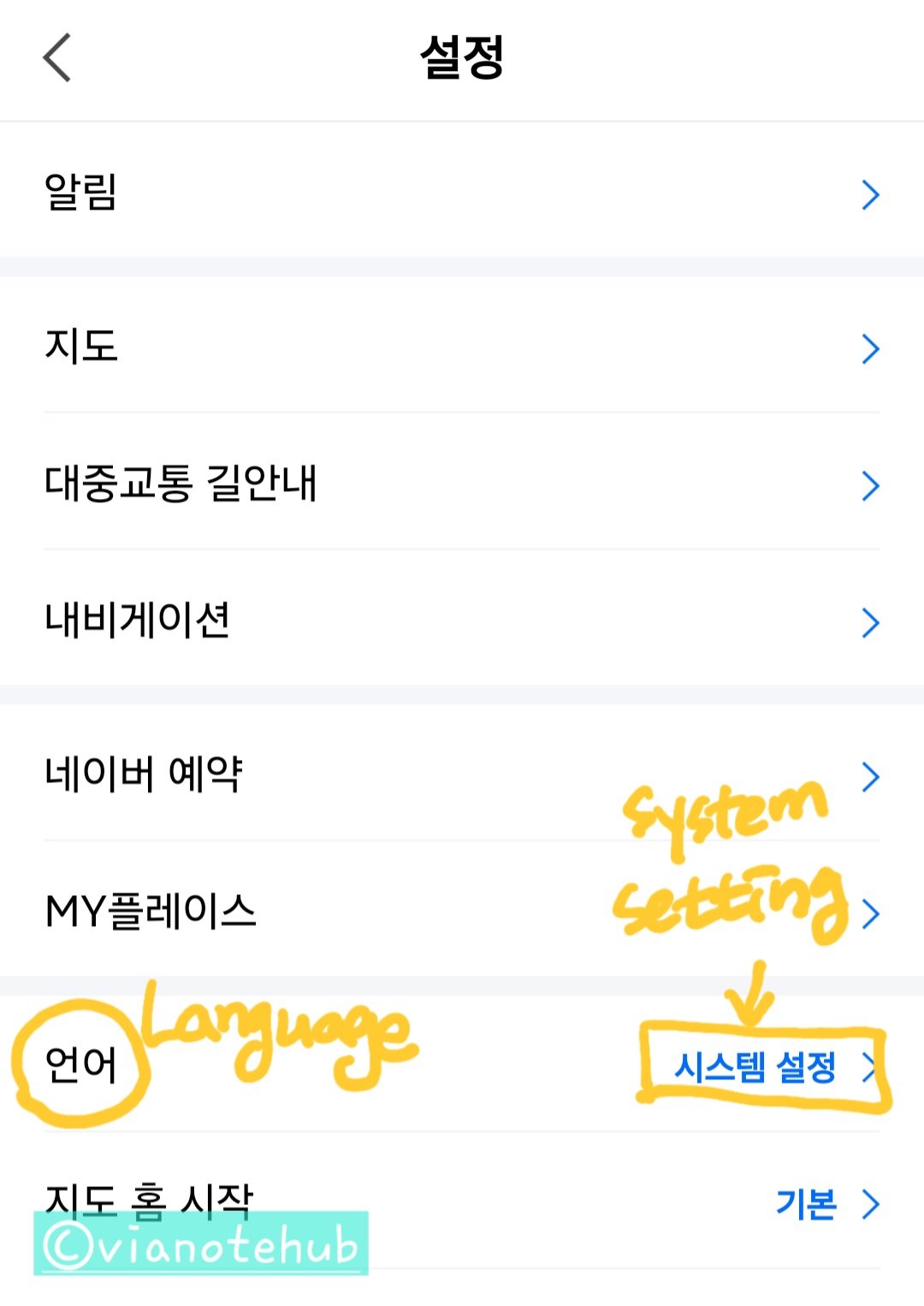
- Select “Language”
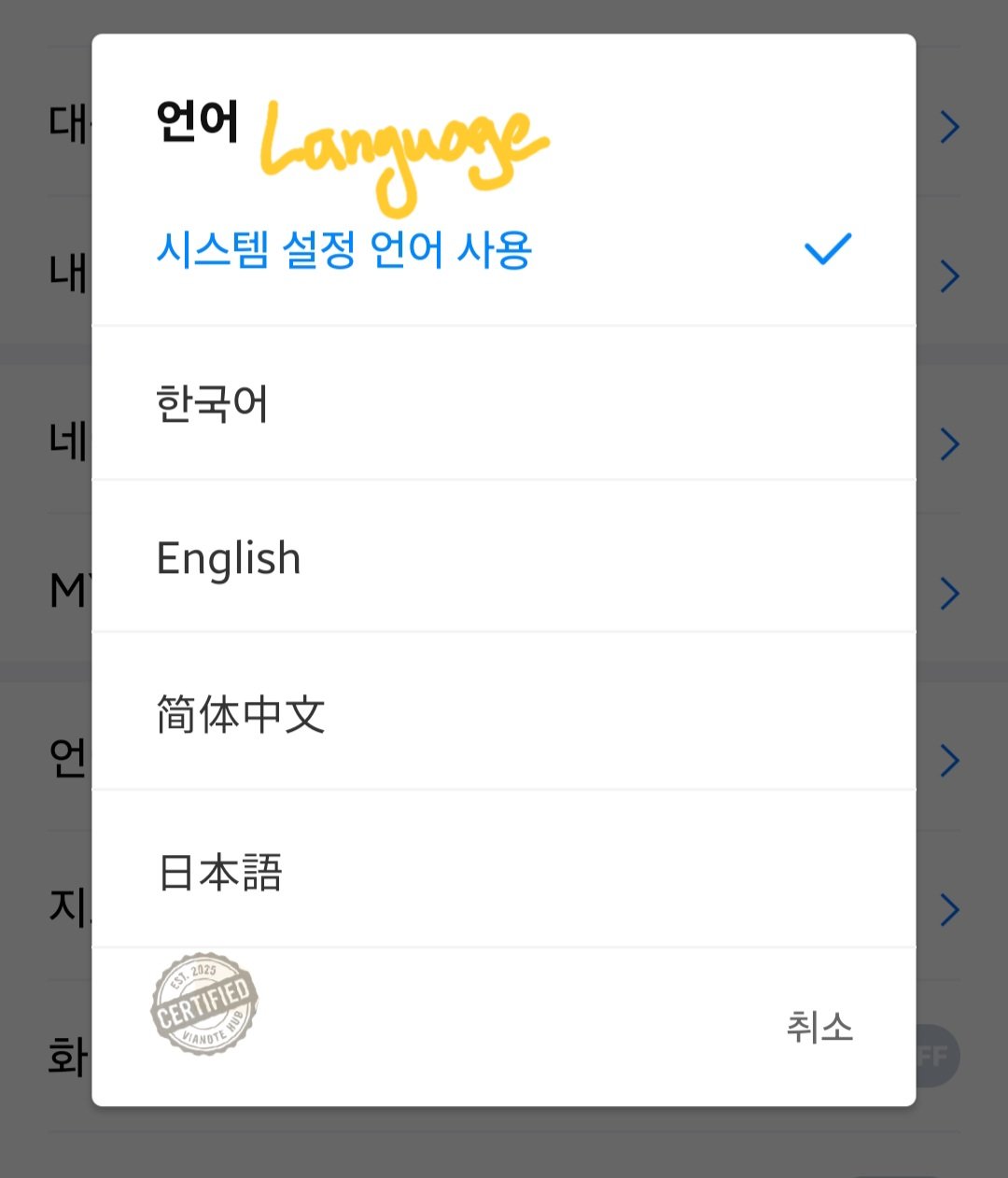
- Choose from Korean, English, Chinese, or Japanese
Key Features of Naver Map
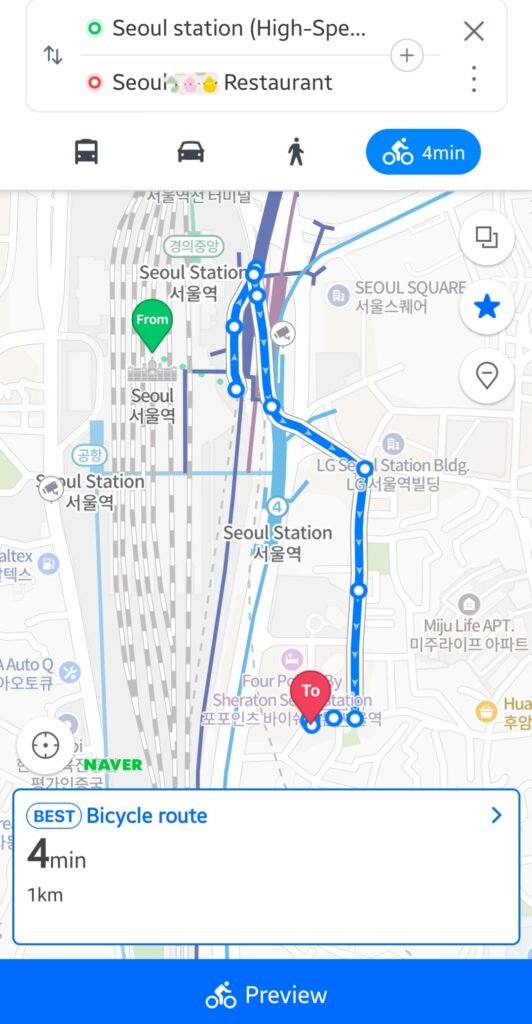
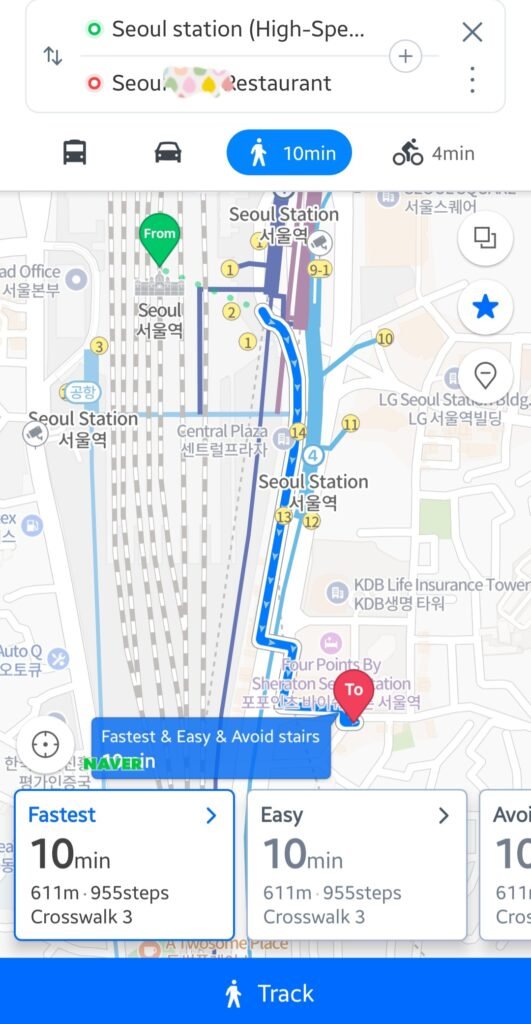
How to Use Directions
- Tap the search icon and enter your destination
- Select the place and tap “Directions”
- Choose a transport method: public transport, car, walk, or bike
- Pick a recommended route and tap “Start”
Public Transport Highlights
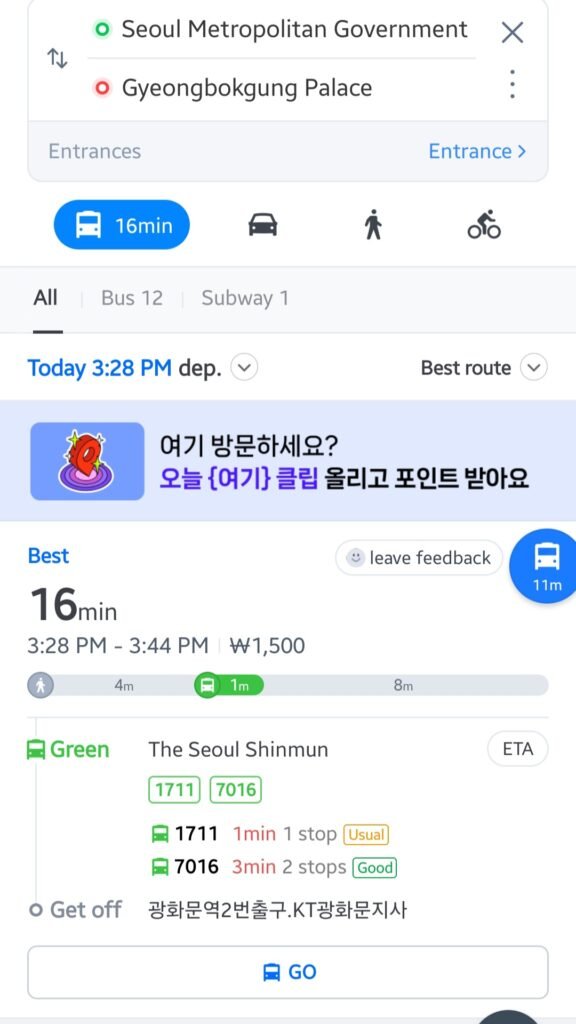
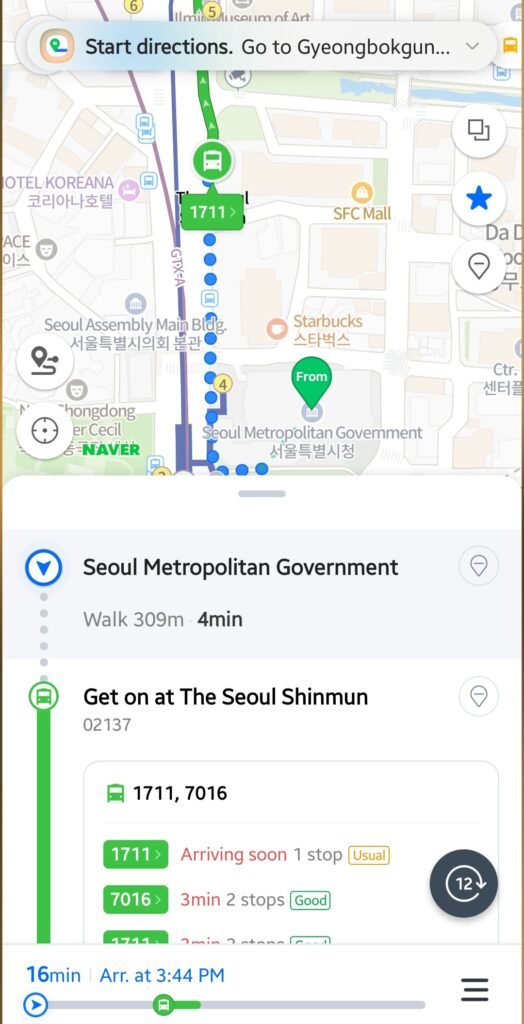
- Real-time subway and bus arrival updates
- Clear transfer instructions
- Station exit numbers included
- Shows estimated time and fare
- Alert options: notify before arrival or transfer

Tips for Using Public Transport in Seoul
Seoul’s buses and subways are highly connected, making it easy to reach most tourist spots.
Use a T-money card to receive transfer discounts within 30 minutes between rides.
All public transit announcements are also available in English, making travel easier for foreign visitors.
💡 To learn more about how to use the T-money card for transfers, check this post.
FAQ: Common Questions for Map App Users in Korea
Q1. Why doesn’t Google Maps provide navigation in Korea?
A. Korean law restricts the export of map data. This prevents Google from offering full real-time routing.
Q2. Can I use Naver Map offline?
A. No. It requires an internet connection for real-time directions and traffic updates.
Q3. Does Naver Map support English?
A. Yes. It supports English, Japanese, and Chinese. However, some reviews may appear in Korean.
Coming Up Next
In the next post, I’ll cover the best apps for hailing taxis in Korea. Stay tuned!
Have questions? Feel free to leave a comment. Enjoy your trip to Korea!