How to Order Food Delivery in Korea Using Baemin (2026 Guide)
Food Delivery Is Part of Daily Life in Korea
If you’ve traveled to Japan, you probably used Uber Eats at least once. It works smoothly with your existing Uber account, your foreign card, and English menus. You might expect the same setup in Korea.
But here’s the thing — Uber Eats pulled out of Korea back in 2019. The Korean food delivery market was already so competitive that Uber couldn’t keep up with local apps. So if you land in Korea and open Uber Eats, you’ll find nothing.
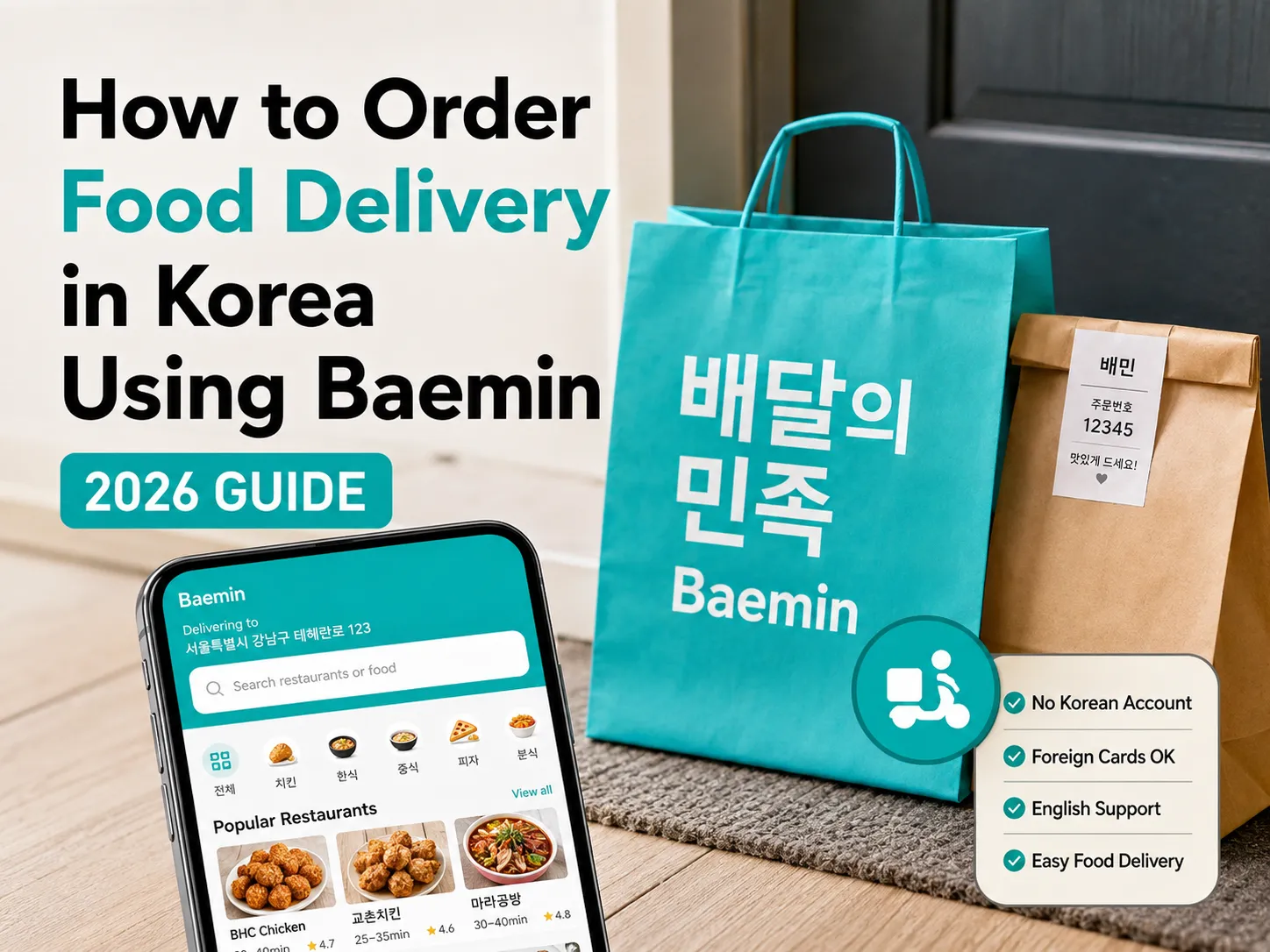
Instead, Korea runs on its own delivery apps, and the biggest one by far is Baemin (배달의민족, short for Baedal Minjok). As a Korean, I use it almost every week. And as of 2026, Baemin has made huge improvements for foreign visitors — English, Japanese, and Chinese language support, foreign credit card payments, and ordering without any Korean ID or account.
This guide walks you through exactly how to order food delivery in Korea using Baemin, what to watch out for depending on your accommodation type, and a few things about Korean delivery culture that might surprise you.
Before You Start: Setting the App Language
Baemin doesn’t have a language switch inside the app. It follows your phone’s system language at the time of installation.
This means if your phone is already set to English (or Japanese, or Chinese) when you download Baemin, the app will automatically launch in that language. No extra settings, no digging through menus.
One catch I discovered while testing this myself: if you install the app while your phone is set to Korean and then change the language later, the app stays in Korean. If that happens, just delete the app, make sure your phone language is set to English, and reinstall it. It will come up in English right away.
Step-by-Step: Ordering on Baemin
Step 1 — Open the App and Set Your Address
Here’s something that surprised me when I tested the English version myself: unlike the Korean version (which asks you to log in or create an account first), the English version skips all of that entirely.
After accepting the push notification prompt, you go straight to the address setup screen. No sign-up, no login popup to close, no guest mode workaround needed — you’re already in.
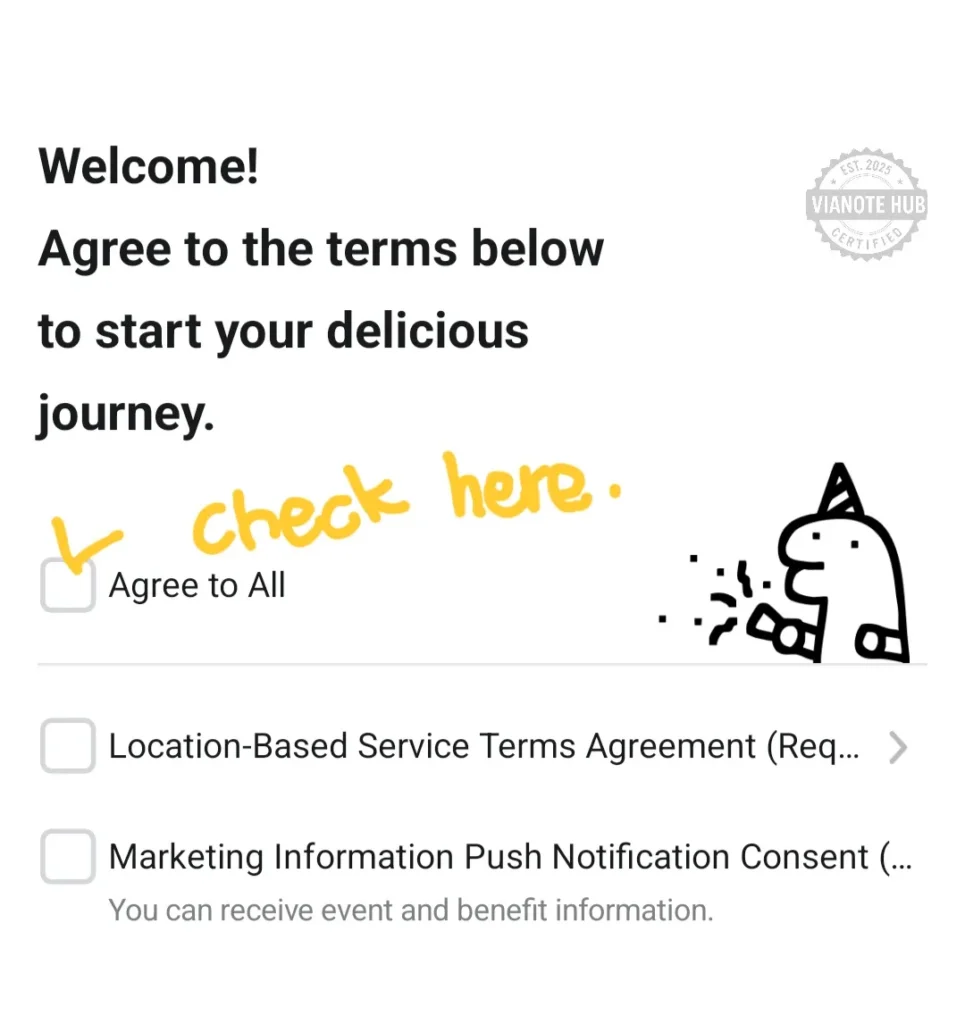
This is actually a big deal, because most English guides out there tell you to “tap the X button to skip the login screen.” That advice is based on the Korean-language version of the app. If your phone is set to English when you install Baemin, that screen simply doesn’t exist.
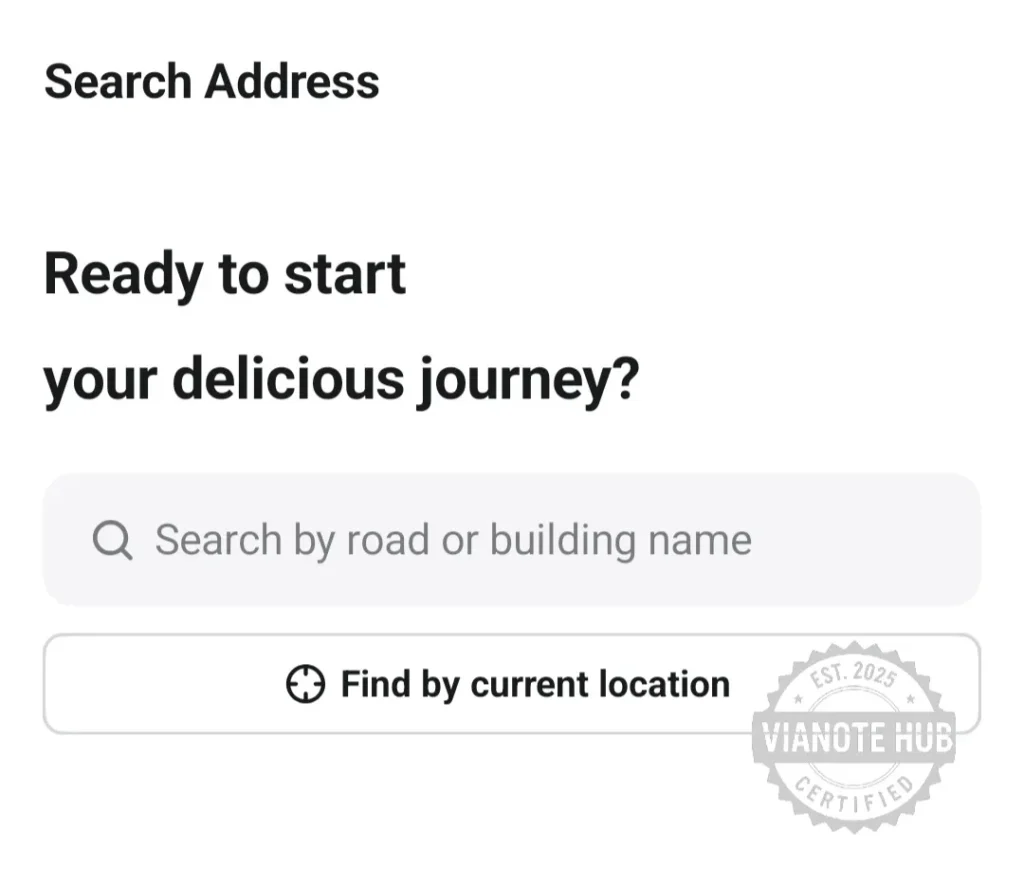
Type in the Korean address of your hotel, Airbnb, or guesthouse. The app uses Korea’s road-name address system, so copying the exact Korean address from your booking confirmation or a map app works best.
Step 2 — Pick Your Food
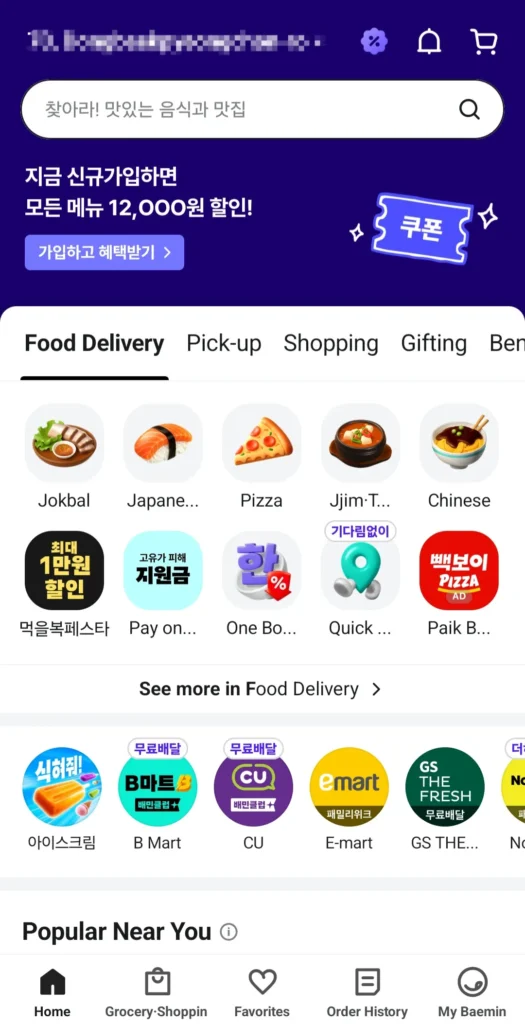
Browse restaurants near your address. You can filter by category — chicken (치킨), pizza, Korean food (한식), Chinese (중식), and more. Add items to your cart and proceed to the order screen.
Step 3 — Complete Your Order
The final order screen has everything in one place. Here’s what you’ll see:
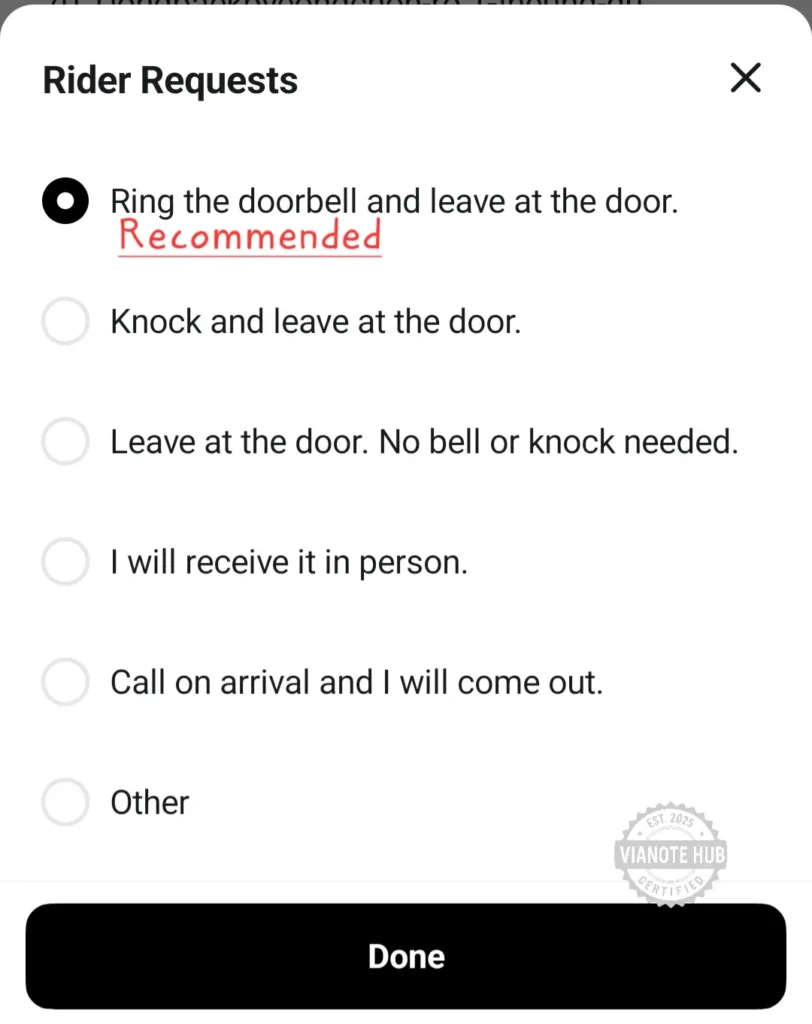
Rider Requests — Choose what the rider does when they arrive:
- Ring the doorbell and leave at the door
- Knock and leave at the door
- Leave at the door (no knock, no bell)
In Korea, having the rider leave your food at the door is completely normal —
most locals choose one of these options too.
Address Details — After setting your rider request, you can enter a
Building Entrance Code if your accommodation has a keypad-locked front
entrance. If your host gave you a door code, entering it here means the rider
can get to your door without any issues.
My Contact — Enter and verify your phone number here. If you’re on
roaming, change the country code to yours (e.g., +1 for the US, +81 for
Japan) and enter your number. If you bought a Korean prepaid SIM, keep +82
and enter your 010 number — this is the better option since the rider can
call you directly. Tap ‘Send Verification Code’ and enter the SMS code you receive.
Payment — You’ll see options including Credit/Debit Card, Global
Payments, Toss Pay, Kakao Pay, and Other Payment Methods. For foreign
visitors, tap Global Payments — it accepts VISA, Mastercard, JCB, Amex,
Apple Pay (with foreign cards), Alipay, and WeChat Pay. Toss Pay and Kakao
Pay require a Korean bank account, so they won’t work for most tourists.
Once everything is set, confirm your order.
Step 4 — Track Your Order (This Is the Most Important Part)
Once your order is confirmed, you’ll see an order number and a real-time delivery tracker showing the status: Order Received → Preparing → On the Way → Delivered. This screen is displayed in your selected language.
Here’s what you absolutely need to know:
Screenshot your order number immediately. If you haven’t created an account, your order history may disappear if you close the app. That screenshot is your lifeline.
If you accidentally close the app, look for the Guest Order Lookup option on the main screen. Enter the phone number you verified with and the order number from your screenshot to pull up the tracking screen again.
Order confirmation texts are also sent to the phone number you verified with via SMS (or KakaoTalk if installed).
About Korean Delivery Culture: “Leave at the Door” Is the Norm
This is probably the biggest culture difference for visitors. In Korea, most deliveries work like this: the rider leaves your food at the door. They might ring the doorbell, knock, or sometimes just leave it without any signal at all.
As you saw in Step 3, you actually choose this yourself when ordering. But even if you don’t pick a specific option, most riders will default to leaving the food and moving on.
This means you shouldn’t wait around for a knock or a phone call. Instead, keep watching the delivery status on the app. When it changes to Delivered, your food is sitting right outside your door. Just open it and grab your meal.
This system works perfectly in apartments and residential stays where you have your own front door. But it creates some complications depending on where you’re staying.
My Honest Advice: Where You Stay Decides Everything
Hotels — I Don’t Recommend Delivery
I’ll be straightforward about this. I personally never order delivery food when I’m staying at a hotel, and I’d suggest the same for visitors.
Here’s why. Most hotels in Korea do not allow delivery riders past the lobby. The rider arrives at the hotel entrance, and you need to come down to meet them — right at that moment. Korean delivery riders are fast and busy. Unlike in some Southeast Asian countries where a rider might wait for you, Korean riders often carry multiple orders at once. They drop off one, jump back on their scooter, and head to the next delivery. If you’re not there within a minute or two, things get complicated fast.
You’ll be rushing down an elevator, navigating a lobby, and trying to find a rider who may have already left or called you in Korean. It’s stressful and not the relaxing food experience you’re looking for on vacation.
Instead, try the Pickup option. Baemin lets you place a pickup order (포장 주문) through the app. You order and pay in advance, then walk to the restaurant and grab your food — no waiting in line, no language barrier at the counter. It’s a great middle ground if you’re at a hotel.
Airbnb, Guesthouses, and Hostels — Perfect for Delivery
This is where Korean food delivery really shines for travelers. If you’re staying at an Airbnb or a residential-type accommodation with your own front door, the “leave at the door” delivery works just like it does for locals. Order, wait, check the app, and open your door when it says delivered.
Hostels with a shared kitchen or common dining area are also great — riders can drop off at the entrance and you eat in the common space. It’s the easiest way to experience Korea’s legendary delivery culture firsthand. Late-night fried chicken with beer (치맥) — this is the authentic Korean experience you see on variety shows.
What to Order: A Few Local Favorites
If it’s your first time ordering Korean delivery, here are some popular picks that travel well:
- 치킨 (Korean fried chicken) — The most popular late-night delivery order in Korea. Try it with a beer for the full 치맥 experience.
- 짜장면 + 탕수육 (Jjajangmyeon + Tangsuyuk) — Black bean noodles with sweet-and-sour pork. A classic Korean-Chinese delivery combo.
- 떡볶이 세트 (Tteokbokki set) — Spicy rice cakes, usually with fried items and kimbap. Affordable and satisfying.
- 족발 (Jokbal) — Braised pig’s feet, sliced thin. A surprisingly popular delivery food in Korea.
- 피자 (Pizza) — Korean pizza places offer unique toppings you won’t find anywhere else. Worth trying once.
Quick Recap
| Question | Answer |
|---|---|
| Can I use Uber Eats in Korea? | No. Uber Eats left Korea in 2019. Use Baemin instead. |
| Do I need to create an account? | No. The English version lets you order without signing up. |
| Do I need a Korean phone number? | No. Foreign numbers work for SMS verification. |
| What payment works for tourists? | Tap “Global Payments” — VISA, Mastercard, JCB, Amex, Apple Pay (foreign cards), Alipay, WeChat Pay. |
| Is delivery good at hotels? | Not ideal. Riders can’t enter the lobby, and they won’t wait. Try pickup orders instead. |
| Best accommodation for delivery? | Airbnb, guesthouses, or hostels with your own entrance or common space. |
| How do I know my food arrived? | Watch the app — when it says “Delivered,” the food is at your door. |